Dreamteck Splines
Dreamteck Splines is an all-in-one spline solution with focus on versatility, performance and ease of use. Battle tested and refined over the years, the latest version provides even more functionality and stability improvements for both small and large projects on mobile, PC, console and web.
Key features:
- Supports Unity 2020 to 6
- Editor and Runtime spline creation
- Catmull Rom, Bezier, B-Spline and Linear splines
- Path following with constant speed
- Mesh generation
- Junctions
- Object and particle control
- Spline projection
- Mobile friendly
- Primitives and presets
- Import & Export functionality
- Morph states
- Multithreading
- PLAYMAKER SUPPORT
- TEXT MESH PRO SUPPORT
- Easily expandable functionality
- Extensive User manual with examples
Eight example scenes, showcasing the most popular use cases included in the package.
Release Notes
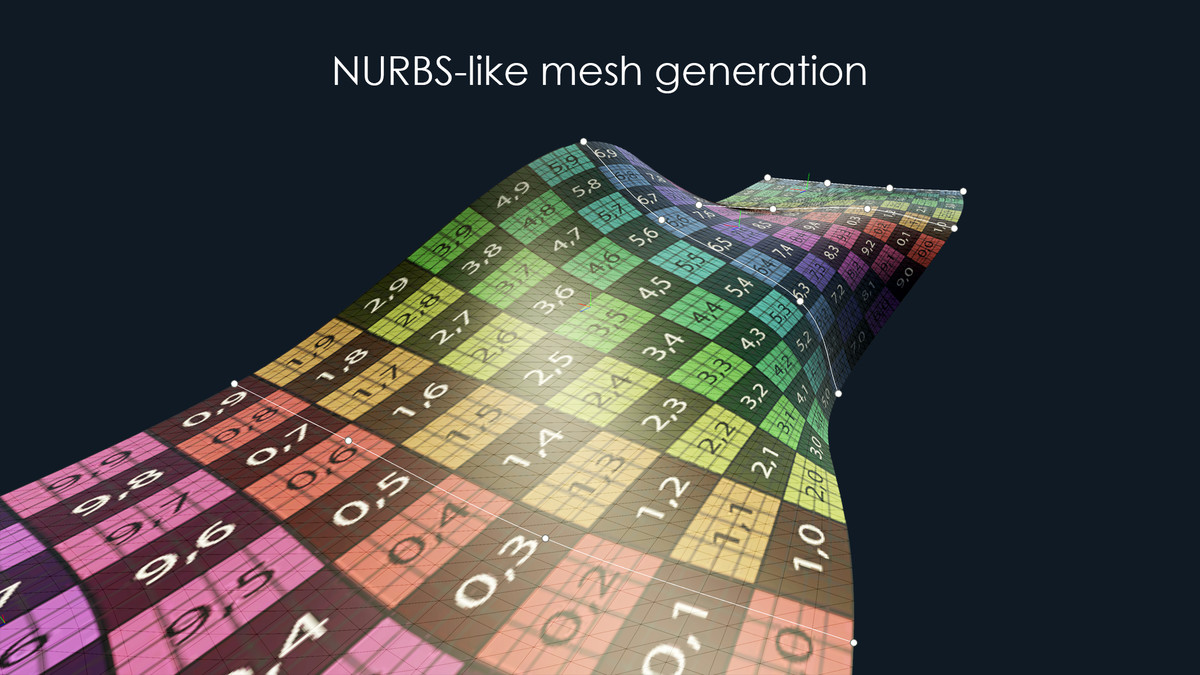
----- 3.0.6 ----- SUPPORT: Official support for Unity 2023 and 6000 FEATURE: Added two new 3D Collider generator components for Box and Capsule colliders FEATURE: Added a Complex Surface Generator component which is similar to NURBS FEATURE: Better readability for spline points API: The SplineUser.Evaluate method now returns the samples, modified by the sample modifiers API: The SplineUser.Project method now operates on the modified samples FIX: Fixed drag selection and editor handles in Unity 2023 and 6 FIX: Editing the spline modifiers in the scene no longer causes the spline editor to drag-select FIX: Fixed an event leak in the Object Bender component Editor FIX: Updated the SplineTracer transform module to work with Unity 2022+ physics - rigidbody velocity assigning happens only if the rigidbody is not kinematic [COMMUNITY CONTRIBUTIONS] FEATURE [Thycon/Kronoxis]: Added new "Point" object count mode added to the Object Controller - makes object count relative to the spline point count FIX [Thycon/Kronoxis]: Serialization fix for prefabs using the Object Controller component FIX [Thycon/Kronoxis]: Prevented spline point deletion when the Alt button is pressed in the scene view FIX [Thycon/Kronoxis]: Fixed an issue with UV generation in the Spline Mesh component FIX [Thycon/Kronoxis]: Fixed inaccurate calculation of the out moved value in the Spline User API ----- 3.0.5 ----- UX: Improved the Move tool UX in Bezier mode when a single point is selected. Clicking the inner point handle will toggle the tool for the point position and clicking the outer handle will toggle the tool for the tangents FIX: Fixed the empty sample array error in SplineUser FIX: Fixed the SplineFollower speed and direction inconsistencies FIX: Fixed the bug where Spline Followers in Ping-Pong mode sometimes looped FIX: Fixed the editor hang when setting a zero Z scale in the Spline Mesh's Mesh configuration window FIX: Switching to and from 2D mode for the splines now has a proper Undo FIX: Fixed the incorrect automatic count for Spline Meshes when used with looped samples FIX: Fixed a niche editor NullReference Exception when destroying a spline computer through a script FIX: Fixed the SplineFollower and SplinePositioner onNodes event not being triggered when SetPercent or SetDistance is called FIX: Fixed the ParticleController bug when it was trying to set data for already destroyed particles FIX: "Start in Creation Mode" preference is now properly saved FIX: Fixed computation of sample directions if the SplineComputer component's transform has a negative scale FIX: Fixed incorrect behavior of SplinePositioner.SetPercent when mode is set to Distance, and SplinePositioner.SetDistance when mode is set to Percent FIX: Fixed MeshGenerator baking removing the generated mesh object if the object is child of the SplineComputer it references FIX: Fixed the NullReference exception when baking meshes with the Save To File option FIX: Fixed Insert point creation mode offsetting the last point of the spline when the point is inserted before the last point ----- 3.0.4 ----- FIX: Trigger positions are now preserved when spline points are added / removed in the editor FIX: Fixed Spline Tracer objects going to origin if their spline doesn't have samples FIX: Fixed disappearing samples in Optimized spline mode FIX: Improved the Optimized sample mode to respect the spline object transform scale in Local space mode FIX: Fixed an issue where using the delete point tool clears the spline samples FIX: Fixed spline samples clearing when using the right click + left click shortcut to exit point creation mode FIX: Fixed disconnecting nodes when using the Insert point method




Basic Information
- Latest Version
- 3.0.6 (02 Oct 2024)
- Publisher
- Dreamteck
- Category
- Tools/Utilities
- Size
- 12.0 MB
- Price
- free
- Asset Rating
- ★ ★ ★ ★ ☆ (312)
Extended Information
- Unity Versions
- 2021.3.18
- Render Pipelines
- ✔ BIRP ✔ URP ✔ HDRP
- State
- published