Asset Inventory 3
NOMINATED FOR BEST DEVELOPMENT TOOL 2024
Put your asset workflow on steroids and say good-bye to the Package Manager as you know it! Asset Inventory is your ultimate asset companion: a lightning-fast search for assets for your current project. Find content in assets you purchased or downloaded without importing and bring single files in with just a click.
Eliminate the time-consuming task of finding a sound file, a texture or a model you know you purchased but which is hidden inside one of your many Asset Store purchases. The Asset Inventory provides a complete list of all assets you own, including their content.
Web | Discord | Forum | Documentation | Roadmap
➤ Powerful Search
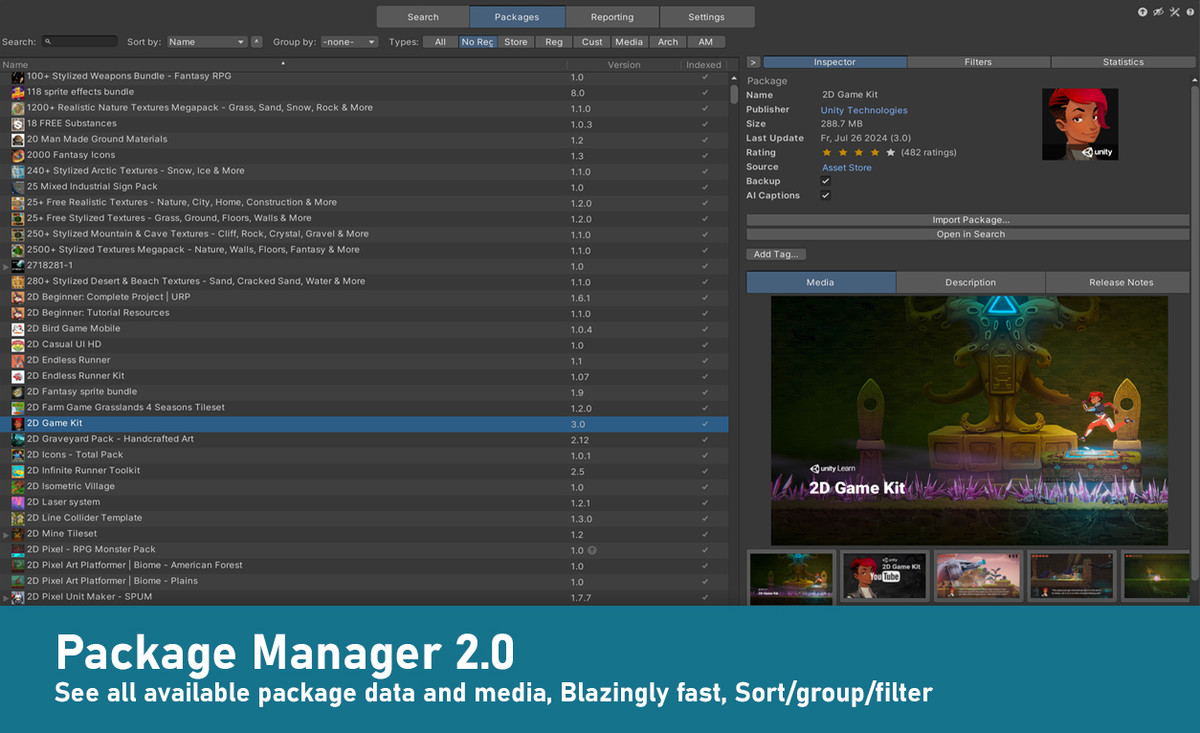
Browse & find anything inside your purchased assets. Quickly preview audio files. Narrow your search using asset type, tags, image dimensions, audio length, color and more. Exclude items you don’t want to see. Save and recall searches.
➤ Easy Setup
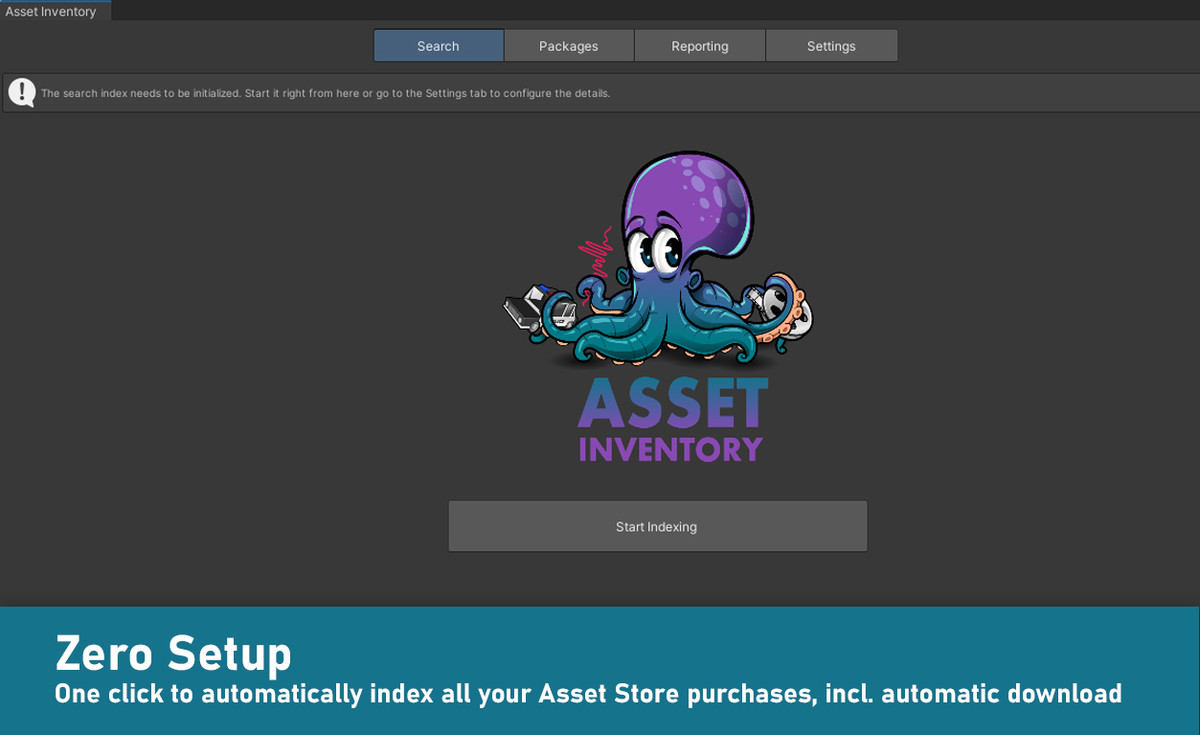
Works out of the box. Lots of optional view & configuration options. Hassle-free indexing. Start, stop & resume at any time. Works with Unity 2019.4 and higher. Windows, Mac & Linux. Lightning-fast indexing and search.
➤ Intelligent Import & Export
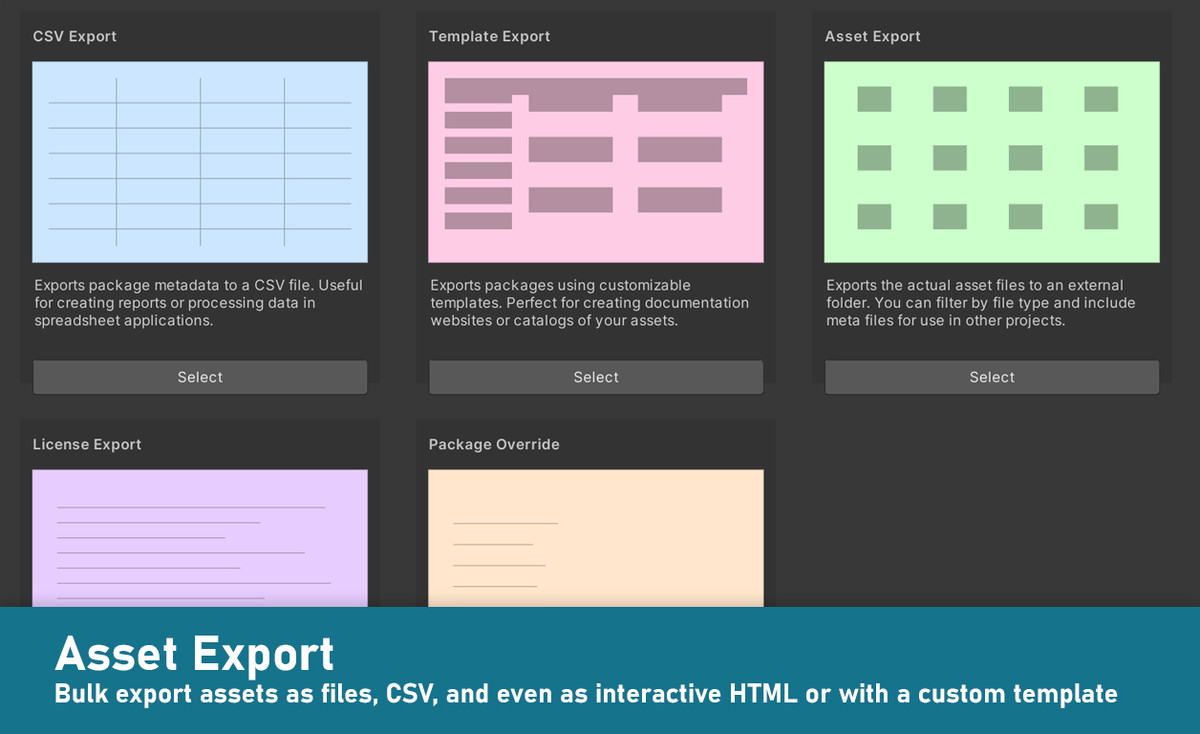
Import only what you need instead of a whole package. Automatically determines asset dependencies to import complex prefabs and materials. Save space & reduce clutter in your project. Bulk import multiple packages at once. Automatically store imported assets in a specific sub-folder and keep the Assets root clean. Export assets easily for reuse in other contexts. Supports SRP Support Packages and automatically converts materials to URP.
➤ Many Sources
Your complete asset library: Automatically indexes Asset Store purchases. Triggers download of missing assets. Handles packages from registries and assets from Unity Asset Manager. Supports custom folders to search through Unity packages downloaded from other locations. Indexes folders and Zip archives containing arbitrary media files like 3D models, audio libraries, textures and more. Automatically generates previews.
➤ Organize
Automatically imports labels from the Asset Store. Use additional tags to group assets effectively. Assign tags to either packages or individual files inside packages. Assign colors and group by tags. Exclude unwanted items. Perform bulk operations. Import multiple assets and packages in one go. Builds on Package2Folder to allow importing packages into a custom sub-folder. Backup packages automatically to ensure you always have a working version to go back to.
➤ Reverse Lookup
Quickly identify used assets and packages in your project.
➤ Constant Updates & Support
Receive regular updates, optimizations, and new features. Super-fast support. Discuss ideas in a great Discord community.
Web | Discord | Forum | Documentation | Roadmap
Release Notes
## [3.0.0] - 2025-05-12
Updating from earlier versions: Close Unity, delete the Asset Inventory folder, restart Unity and import the new version. Database and settings are compatible.
- **Performance Improvements**
- Optimized SQLite column lookup for a major performance boost.
- Indexed colors in parallel for a 10–20× performance improvement.
- Faster hue calculation.
- Removed unnecessary directory IO checks.
- Optimized UploadId column type.
- Parallel download of the next item during indexing.
- Automatic metadata fetch upon selection if not already done.
- Faster processing of package headers and image dimension calculation (PNG/JPG).
- Fewer DB operations when calculating dependencies and faster regex dependency scanning.
- Improved database settings for quicker access and larger cache.
- Various smaller speed‐ups.
- **Custom Actions**
- Install packages, manage folders & files, set project properties, and more with a single click.
- Create start‐up actions that run when installing the tool into a new package.
- **Custom Metadata**
- Define additional data to be stored with packages.
- Support for multiple data types (text, date, URL, bool, list value).
- Restrict metadata to specific asset types and sources.
- Add custom metadata as list columns.
- **Export**
- Wizard explaining the different types of export options.
- Less visual clutter in follow up segments.
- Included a high-quality, performant HTML template (serverless, in-memory).
- Export packages and contained files with support for multiple configurations (e.g., local & remote) and customizable data/image paths.
- Template development mode (preserve data exports, local server, reduced work, directory monitoring).
- Option to not export images into the HTML file search.
- Remember the selected export configuration and offer a package-only template.
- Template inheritance (move/delete via descriptor).
- Support for Python start on Mac.
- Publish, copy/extend, enumerate, and delete templates.
- Extract template content into a dev folder.
- Documentation for the export feature.
- Support template export even when included via package.
- MD (Markdown) format export template with many export UI enhancements.
- Allow creating new templates directly from the UI.
- Ability to select files to override in template from UI.
- Ability to add additional fields to package and files json export.
- Auto-reload template descriptors in development mode during export to make testing changes even easier.
- Concept of Sample templates to show specific extension concepts.
- Added Scriban as a third-party dependency.
- Package template supports filtering by category.
- Templates now support custom parameters.
- Support entry paths in templates.
- **Search**
- Support inline tag conditions via ft & pt tokens.
- Add a convenient way to search AI Captions alongside other fields.
- Show live Unity preview in search view if the object is already imported.
- Jump directly into sub-packages from search results.
- Maintain current filter tab when navigating between sub/parent packages from the search view.
- Support optionally searching also in package names.
- Support SRP resolution also from display names allowing scenarios where sub-packages are not named in a way to allow automatic SRP resolution.
- **Packages**
- Add “Comments” as a pre-provided metadata field.
- Propose installing a vector graphics package for SVG previews.
- Export enhancements for CSV (Asset Store link column, ForeignId column, and quick filtering for visible columns).
- Handle multi-part RAR archives correctly.
- Improve audio type detection for in-editor playback and preview generation for incorrectly named files.
- Ensure package view column headers display the correct sort state.
- Detect Synty file naming schemes to derive the name, Unity version, and package version.
- Support long folder paths within Unity projects.
- Skip unreadable parts of archives instead of aborting extraction.
- Automatically remove erroneous 0-byte preview files while reading textures.
- Add support for creating sub-folders in the backup folder and moving assets there.
- Bulk removal of packages with a new removal progress UI.
- Support overrides for Asset Store packages.
- Show package size also for registry packages and media folders.
- Ensure downloader will always use root asset instead of sub-packages.
- Support Asset packages that install as embedded packages.
- Support uninstalling embedded packages.
- **Settings & UI**
- Cleaned‐up settings page with all locations adjustable from a single section.
- Introduced a cache size limiter that prevents disk space exhaustion by removing long-unused items.
- Automatically run the cache limiter in the background while obeying the “keep extracted” flag.
- Support excluding extensions in media folders and custom preview folder locations.
- Flatter inspector design with less visual clutter.
- Moved search tab filters and settings—and packages tab overview—into right‐hand side inspectors.
- Indicate when search or package filters are active.
- Automatically switch back to the inspector tab upon item selection.
- Converted the separate search query samples window to a popup.
- Getting Started Tutorials right inside the editor.
- Allow easy installation of tutorials package right from welcome screen.
- Support installing tutorials package from advanced settings.
- Improved menu integration in Unity 6.
- Display the Asset Manager link under Settings.
- Show the “recreate previews” button only for files that support previews.
- Improve grid calculation to avoid horizontal scrollbars and allow customizable tile spacing.
- Enhance error text readability in the Maintenance UI.
- Displayed “free” instead of €0.00 for better readability.
- Logical, readable category filter display and improved grouping by categories in Packages View.
- Allow custom ordering of UI sections in package details.
- Allow moving the database into a non‐empty directory by moving related folders instead of copying.
- Move backups along with the database.
- Do not delete the entire storage folder after moving.
- Action‐Based Update & Internal Renewal
- Switched to an action‐based update method with the ability to trigger each action individually.
- Improved control, transparency, and progress insights.
- Major internal refactoring.
- Enforce type-safety for asset groups in the API.
- New validator: Orphaned cache folders.
- New validator: Find deleted asset files in media folders.
- **Documentation**
- Improved getting started documentation.
- Documented feature restrictions regarding specific minimal Unity versions.
- Added a Freebies section to the documentation.
- Extended AI documentation to cover macOS.
- Added a Discord link on the about page.
- Introduced LibGit2Sharp (MIT) for future Git functionality (work in-progress).
- **Fixes**
- Fixed reg packages not showing up after a domain reload when filtering for in-current-project.
- Fixed the import UI not automatically closing after an automatic import.
- Fixed toolbar icons becoming huge in Unity 6.
- Ensure navigating to reg dependencies become visible in tree.
- Don't delete cache for items in process.
- Fix inaccessible packages incorrectly marked as not owned sometimes.
- Fix setting custom import path sometimes not being accepted.
- Fix updates sometimes not showing directly after importing older version
- Fix incorrectly wrapped long tag names.
- Fix missing check in validator.
- Fixed asset access taking extremely long (e.g., preview generation) when files are missing.
- Corrected preview generation spelling error (“genreration” → “generation”).
- Fixed potential white-only preview generation for sprite images.
- Fixed memory leaks in ColorIndexer and Preview Generator.
- Fixed search not updating automatically during initial indexing.
- Fixed archives aborting extraction on invalid paths instead of skipping files.
- Fixed prefiltering in package view not showing results immediately when automatic search was deactivated.
- Fixed category grouping in Packages View incorrectly treating sub-packages as folders.
- Fixed incorrect package download counts and price sorting in package view.
- Wrapped versions in the package version dropdown when they are too long.
- Fixed errors while determining FXB dependencies.
- Added a confirmation prompt before executing larger destructive operations.
- Introduced a new internal preview state to prevent previews from showing when “Only without previews” is selected.
- Fixed tree view columns reappearing after being hidden.
- Fixed preview excludes using an incorrect extension list.
## Older Versions (external, due to change log length restriction)







Basic Information
- Latest Version
- 3.0 (11 May 2025)
- Publisher
- Impossible Robert
- Category
- Editor Extensions/Utilities
- Size
- 16.0 MB
- Price
- €17.94
- Asset Rating
- ★ ★ ★ ★ ★ (138)
Extended Information
- Unity Versions
- 2021.3.25
- Render Pipelines
- ✔ BIRP ✔ URP ✔ HDRP
- State
- published